Switch Pro Controller tester
Pair the Pro Controller over Bluetooth or plug in a USB C cable, then press any button. Labels follow the Nintendo layout.
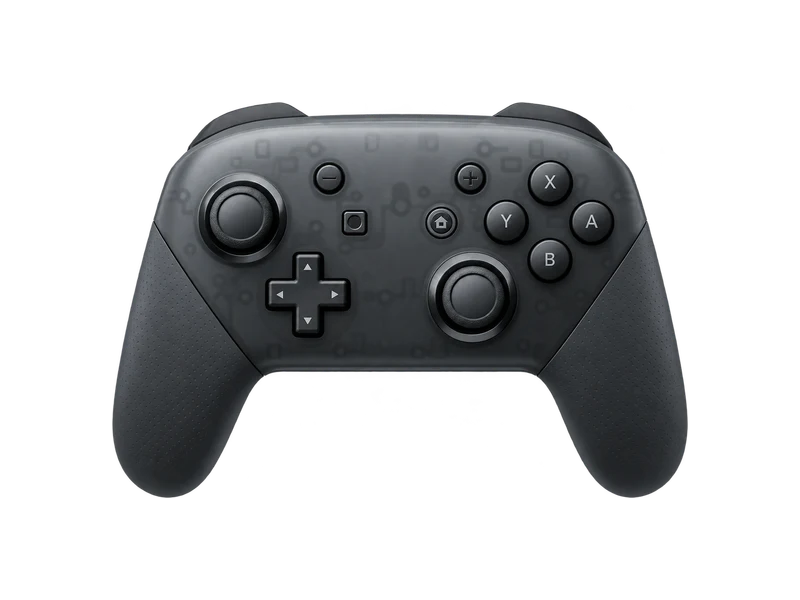
Input map
Registered / 17- B
- A
- Y
- X
- L
- R
- ZL
- ZR
- Minus
- Plus
- L stick
- R stick
- Up
- Down
- Left
- Right
- Home
Raw input
Axes
Input history
- Waiting for input
Connecting a Switch Pro Controller
For Bluetooth, hold the small sync button on the top edge, next to the USB C port, until the player LEDs start running, then pair it from your computer's Bluetooth settings. A USB C cable also works on most systems. Press any button afterwards so the browser exposes it.
Why the buttons look swapped
Nintendo puts A on the right and B at the bottom, the reverse of Xbox. Browsers report buttons by position, not by printed letter, so the bottom button is always index 0. This tester labels Nintendo pads with Nintendo names, so B appears at the bottom and A on the right, matching what is printed on your controller.
Things that differ from other controllers
- Digital triggers. ZL and ZR are on or off. They report 0 or 1 with nothing in between, which is normal.
- Update rate. Independent tests measure the Pro Controller at about 66 Hz over Bluetooth and about 74 Hz on a cable, much lower than PlayStation or Xbox pads. Expect the polling rate test to show similar numbers.
- Rumble. HD Rumble uses its own protocol, and browser support for Switch Pro vibration varies. If nothing happens in the vibration test, the controller can still be fine.
Common faults
Stick drift happens on Pro Controllers too, though less often than on Joy-Con. Run the stick drift test, and if you play games that need fine aim, the linearity test as well.
Questions about this test
- Why are ZL and ZR stuck at 0 or 1?
- The Pro Controller triggers are digital switches, not analog sensors. They only report fully released or fully pressed.
- Why is the polling rate so low?
- The Pro Controller reports less often than PlayStation and Xbox controllers. Around 60 to 75 Hz is normal for it.
- Does the Pro Controller work over USB on PC?
- Yes on most systems with a data capable USB C cable. Some games still need Steam Input to recognise it.