PS5 DualSense controller tester
Connect your DualSense by USB C or Bluetooth and press the PS button. Inputs below use PlayStation names, and the battery and gyro tools unlock over WebHID.
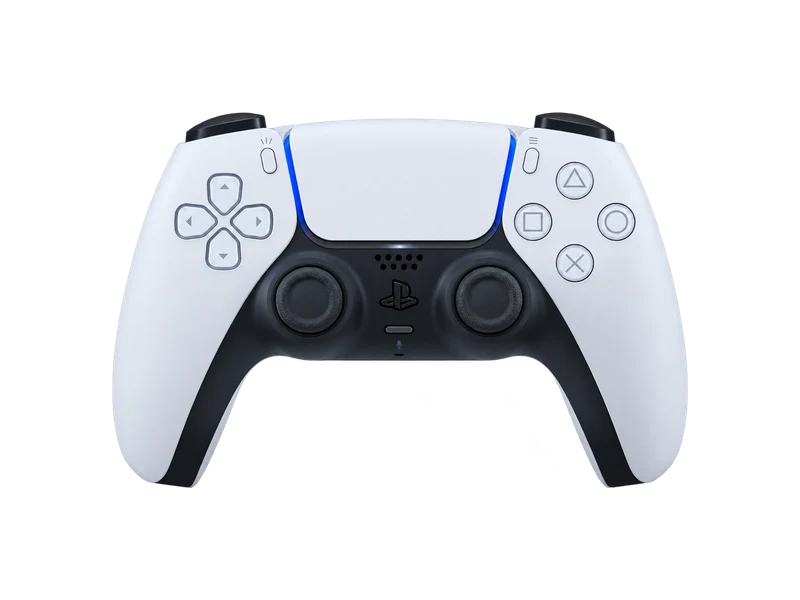
Input map
Registered / 17- Cross
- Circle
- Square
- Triangle
- L1
- R1
- L2
- R2
- Create
- Options
- L3
- R3
- Up
- Down
- Left
- Right
- PS
Raw input
Axes
Input history
- Waiting for input
Connecting a DualSense to your computer
Over USB, use a USB C cable that carries data and press the PS button. Over Bluetooth, make sure the light bar is off, then hold the Create button and press and hold the PS button until the light bar blinks, and pick the controller in your Bluetooth settings. Sony lists Windows 10 and 11, macOS 11.3 or later and Android 12 or later as supported. Our PC connection guide covers each step and Steam Input.
What the browser can and cannot see
Through the Gamepad API you get every standard button, both sticks, analog L2 and R2, and the touchpad click as button 17. Rumble works in Chrome and Edge. The adaptive trigger resistance, touch coordinates, the speaker, the microphone and the DualSense Edge back buttons are not part of the standard API.
WebHID fills some of the gaps. With Chrome or Edge on a desktop you can:
- read the battery level and charging state in the battery tool,
- set the light bar color and the five player LEDs,
- read the gyroscope and accelerometer over USB in the gyro test.
DualSense numbers worth knowing
| Item | DualSense | DualSense Edge |
|---|---|---|
| Battery capacity | 1560 mAh | 1050 mAh |
| USB report rate | about 250 Hz | sensors at 1000 Hz |
| Stick type | potentiometer | replaceable potentiometer modules |
Independent tests measure the standard DualSense at about 250 Hz over USB. Over Bluetooth the rate is higher but less even, which the jitter figure in the polling rate test makes visible.
When the sticks drift
DualSense sticks are potentiometers, and drift is the most common fault. Measure it first with the stick drift test, then follow the steps in our PS5 stick drift guide: reset, update, clean, and only then repair. On the DualSense Edge you can swap the stick module yourself with an official replacement.
Questions about this test
- Can I check DualSense battery health here?
- You can read the current level and charging state with the battery tool. The controller does not report wear, so health has to be judged by how fast the level drops during play.
- Why do my DualSense triggers not resist here?
- Adaptive trigger resistance needs special output commands that the standard Gamepad API does not send. Trigger travel from 0 to 1 is still shown above.
- Does the DualSense Edge work with this tester?
- Yes. Standard buttons, sticks, triggers, rumble, battery and LEDs work the same as a regular DualSense. The Edge back buttons and function buttons are not reported by the browser.
- Why does my DualSense show as Wireless Controller?
- That is the name the DualSense reports over USB and Bluetooth. The tester identifies the model from the vendor and product numbers instead.