PS4 DualShock 4 controller tester
Plug in your DualShock 4 with a micro USB data cable or pair it over Bluetooth, then press the PS button.
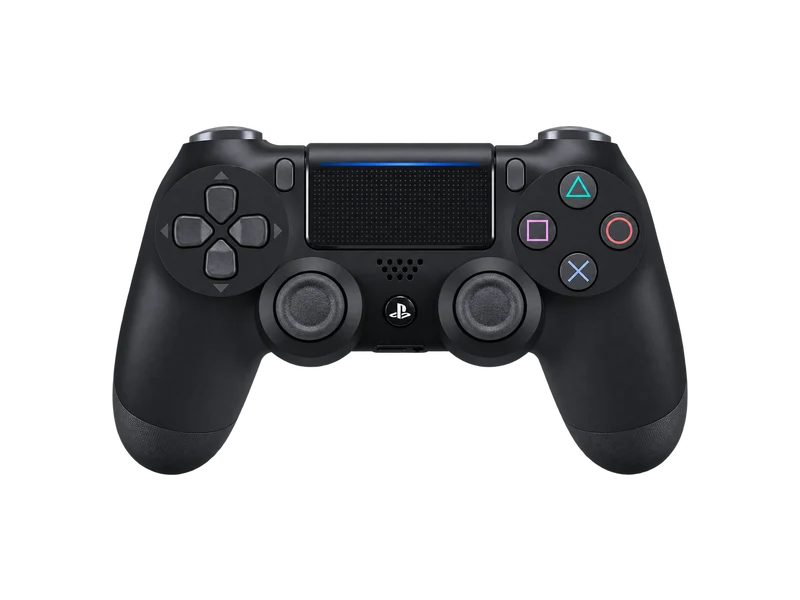
Input map
Registered / 17- Cross
- Circle
- Square
- Triangle
- L1
- R1
- L2
- R2
- Create
- Options
- L3
- R3
- Up
- Down
- Left
- Right
- PS
Raw input
Axes
Input history
- Waiting for input
Connecting a DualShock 4
Over USB, use a micro USB cable that carries data. Over Bluetooth, hold the Share button and the PS button together until the light bar starts flashing, then pick Wireless Controller in your computer's Bluetooth settings. Sony's own USB wireless adapter also works and appears as a separate device.
There are two DualShock 4 generations. The first has the light bar only on the back edge; the second, released with the PS4 Slim and Pro, also shows a light strip through the top of the touchpad. They report different product numbers, and the tester names each one.
What you can test
- Buttons and sticks through the standard Gamepad API, including the touchpad click.
- Battery level and charging state through WebHID in the battery tool. The DualShock 4 reports in steps of about ten percent, and shows full once charging completes.
- Light bar color and rumble, also in the battery tool.
- Gyroscope and accelerometer over USB in the gyro test.
No DS4Windows, drivers or Steam are needed for any of these tests. In fact, close Steam before using the WebHID tools, because it can hold on to the controller.
Typical DualShock 4 wear
| Symptom | Likely cause | Test to confirm |
|---|---|---|
| Camera creeps on its own | Worn potentiometer stick | Stick drift test |
| Button needs a hard press | Worn rubber membrane under the button | Button checklist above |
| Battery dies after an hour or two | Aged 1000 mAh battery | Battery tool over a play session |
| Disconnects over Bluetooth | Weak battery or interference | Test again on USB |
The DualShock 4 polls at about 250 Hz over USB, the same ceiling Chrome uses for gamepads, so the polling rate test should read close to 250 Hz on a cable.
Questions about this test
- Do I need DS4Windows to test a PS4 controller on PC?
- No. The browser reads the DualShock 4 directly. DS4Windows is only needed to make older games that expect an Xbox controller accept it.
- Why does my DualShock 4 only charge and not connect over USB?
- Many micro USB cables have no data wires. Try a different cable, ideally the one that came with a phone or the controller.
- How do I reset a DualShock 4?
- Use a pin to press the small reset button on the back of the controller, next to the L2 trigger, for a few seconds, then reconnect with a cable.