Xbox controller tester
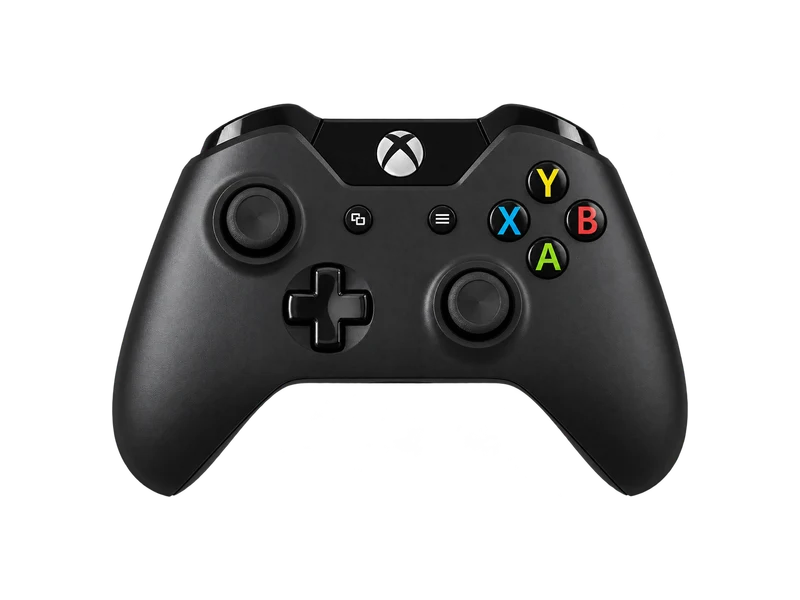
Plug in or pair an Xbox Wireless Controller and press any button. Every input below is labelled with its Xbox name.
Input map
Registered / 17- A
- B
- X
- Y
- LB
- RB
- LT
- RT
- View
- Menu
- LS
- RS
- Up
- Down
- Left
- Right
- Xbox
Raw input
Axes
Input history
- Waiting for input
Connecting an Xbox controller to a PC
Xbox Series X|S controllers use USB C; Xbox One controllers use micro USB. Use a cable that carries data, not just power. For wireless play you have two options: Bluetooth, which works on the Xbox One S controller and every Series controller, or the Xbox Wireless Adapter, which also works with the original Xbox One pad that has no Bluetooth. Once connected, press any button so the browser exposes the controller.
What this tester shows for Xbox pads
Xbox controllers use the standard layout, so every button above lands where you expect: A, B, X and Y on the right, LB and RB as bumpers, LT and RT as analog triggers from 0 to 1, View and Menu in the middle. The Share button on Series controllers is usually not part of what browsers report.
Wired, an Xbox Series controller reports at about 125 Hz according to independent measurements, so the polling rate test should settle near that value over USB.
Trigger rumble
The small motors inside the triggers, which Microsoft calls impulse triggers, can be tested in Chrome and Edge 126 and later on Windows and macOS. The vibration test adds trigger sliders when your browser supports them.
Common Xbox controller faults
- Stick drift. Xbox sticks use potentiometers that wear over time. Run the stick drift test and compare the offset with the thresholds explained there.
- Bumpers that double click or stop clicking. Press LB slowly ten times and count the lines in the input history above.
- Triggers that never reach 1.00. Usually dirt or a worn trigger spring; the analog value above shows exactly where travel stops.
Firmware and settings
The Xbox Accessories app for Windows can update controller firmware, remap buttons and adjust vibration. Updating is worth trying before any repair, especially if inputs lag over Bluetooth.
Questions about this test
- Why does my Xbox controller not show up over Bluetooth?
- The first Xbox One controller has no Bluetooth. Check for a plastic seam around the Xbox button: if the button sits in the same plastic as the bumpers, it is the older model and needs a cable or the Xbox Wireless Adapter.
- What polling rate does an Xbox Series controller use?
- About 125 Hz over USB in independent tests. Wireless rates vary with the adapter and are generally lower and less even.
- Can I test the Xbox Elite back paddles?
- Paddles are normally mapped in hardware to another button, so pressing one lights up the button it copies. They do not appear as extra buttons in the browser.